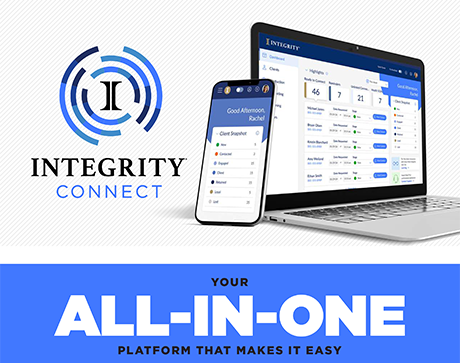
Our Exclusive Technology

IntegrityCONNECT

A best-in-class CRM built to help you work smarter.

Integrated Quote & eApp for multiple products from Health and Life carriers.

Get a Quick Quote in 10 seconds from anywhere in the platform

Single Sign-on powered by one login and password.

Work anywhere with the Integrity for Agents mobile app available on Apple and Google Play stores.


Stay Organized

  • Client Snapshot and Task List for insights at-a-glance
  • Policy Snapshot provides policy status at your fingertips
  • Recent Activity to stay on top of the current details
  • Plus, reminders and custom notes to help you serve your clients and never miss a commitment!
     

Build Better Client Relationships

  • Client Connect send compliant marketing messages to your clients via email or text messages
  • Message history shows in the Recent Activity stream for tracking and compliance
  • Client Sync easily collect key consumer health information
  • Appointment Scheduler (Coming Soon!) to schedule and manage client appointments


Get Started with Integrity CONNECT

  1. Visit THIS LINK and select SIGN UP
  2. Complete the registration form
  3. Enter your National Producer Number (NPN)
  4. Enter your email address
  5. Create a password
    It must be at least 8 characters long and include at least one uppercase letter, one lowercase letter, one number and one symbol.
  6. Click SUBMIT
    A confirmation email will be sent to the email address you provided.
  7. Open the confirmation email and complete your registration
    When you click on the link inside, you’ll automatically be taken back to the Integrity CONNECT homepage where you can log in and begin to use the new system.
    *NOTE: This step is required before you will be able to log in. Please be aware that some information may take up to 24–48 hours to update in the MA/PDP enrollment tools (MedicareAPP and MedicareLINK).


CSG Actuarial

Agents contracted with Southern Insurance Group can use this quoting tool to create fast and easy rate comparisons for Medicare Supplement, Medicare Advantage , PDP, Final Expense and Life products.  Quickly compare many different products, rates and plan details with no hassle. The quoting tool and all of its features are offered to our agents at no cost.

How Southern Agents Can Get Started with the Quote Tool


1st Time Users:

  1. Click ‘CSG Quoting Login’ button above.
  2. Then Click “Request Account”.
  3. Fill in the “Quoting Tools Account Request” form.
  4. Your account will be authorized ASAP.  

Returning Users:

  1. Click CSG Quoting Login button above.
  2. Enter the username/password for your account.
  3. Once logged in select the type of quote. ( Medicare Supplement, Medicare Advantage, PDP, Final Expense, Life )
  4. Fill out the “Run a Quote” form and click “Get Quote”.


Disclaimer: Southern Insurance Group does not guarantee or warrant the accuracy of premium rates. For agent use only. Carriers may have made rate adjustments that have not yet been reflected in our database.